3 pilgrims in ~3 seconds
Names, age, gender and ID details go into every row at once instead of field by field.
TTD Pilgrim Autofill fills the pilgrim details page of your Tirumala darshan or seva booking for you — names, age, gender and ID proof for up to 6 pilgrims — so you are not typing while the slots run out. You still log in, wait in the queue and pay yourself.
Everything is aimed at one moment: the pilgrim details page, when every second counts.
Names, age, gender and ID details go into every row at once instead of field by field.
Save your whole family or group once and fill every pilgrim in a single booking.
Works with Aadhaar, and with passport and visa details for NRI and foreign pilgrims.
Flags an Aadhaar number that looks mistyped before it reaches the booking form.
Warns you if the same ID number has been entered for two different pilgrims.
Alt+A fills the form. Alt+S fills and moves you on to the next step.
Prefer the mouse? A small floating button on the page fills everything with one click.
Easy on the eyes when you are waiting up for a late-night or early-morning slot release.
Set it up once, then use it every time you book.
Request access by email. Once approved, add the extension to Google Chrome on your computer.
Enter each pilgrim's name, age, gender and ID proof once. The typo and duplicate checks run here.
Log in to the TTD website yourself, wait your turn in the queue and choose your darshan or seva slot.
On the pilgrim details page, press the shortcut or tap the floating button. Check the details, then continue and pay yourself.
Tap any screenshot to open it full size.
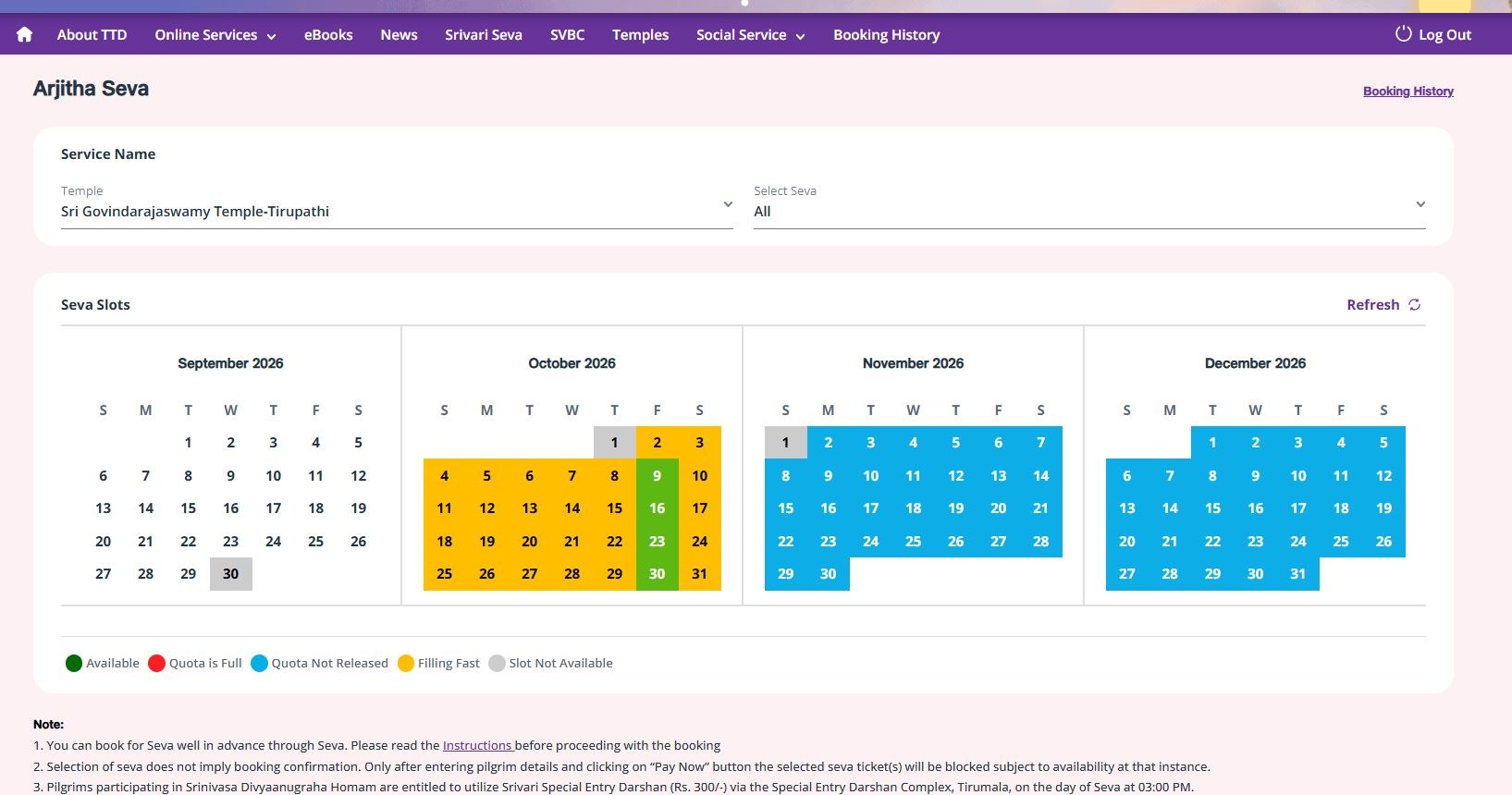
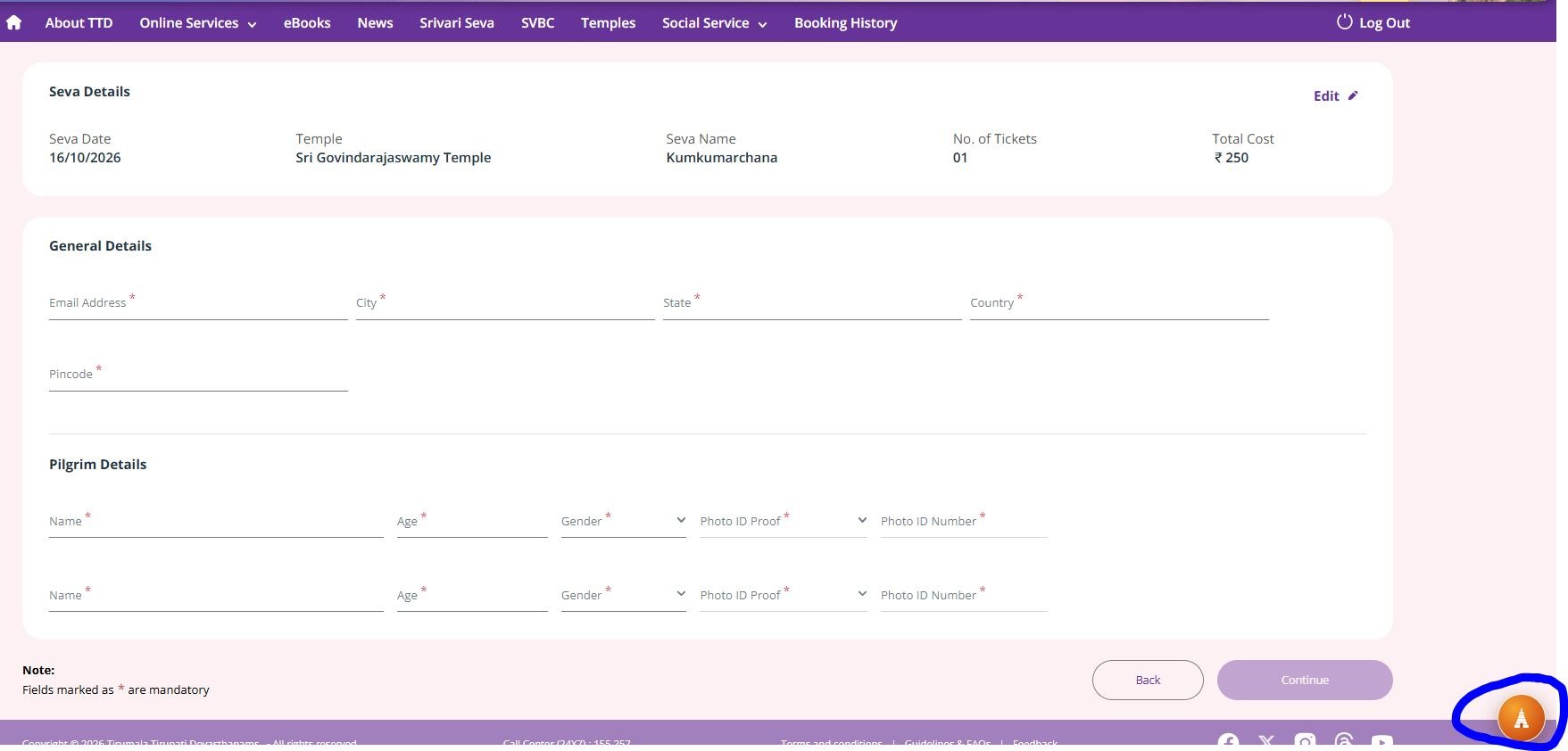
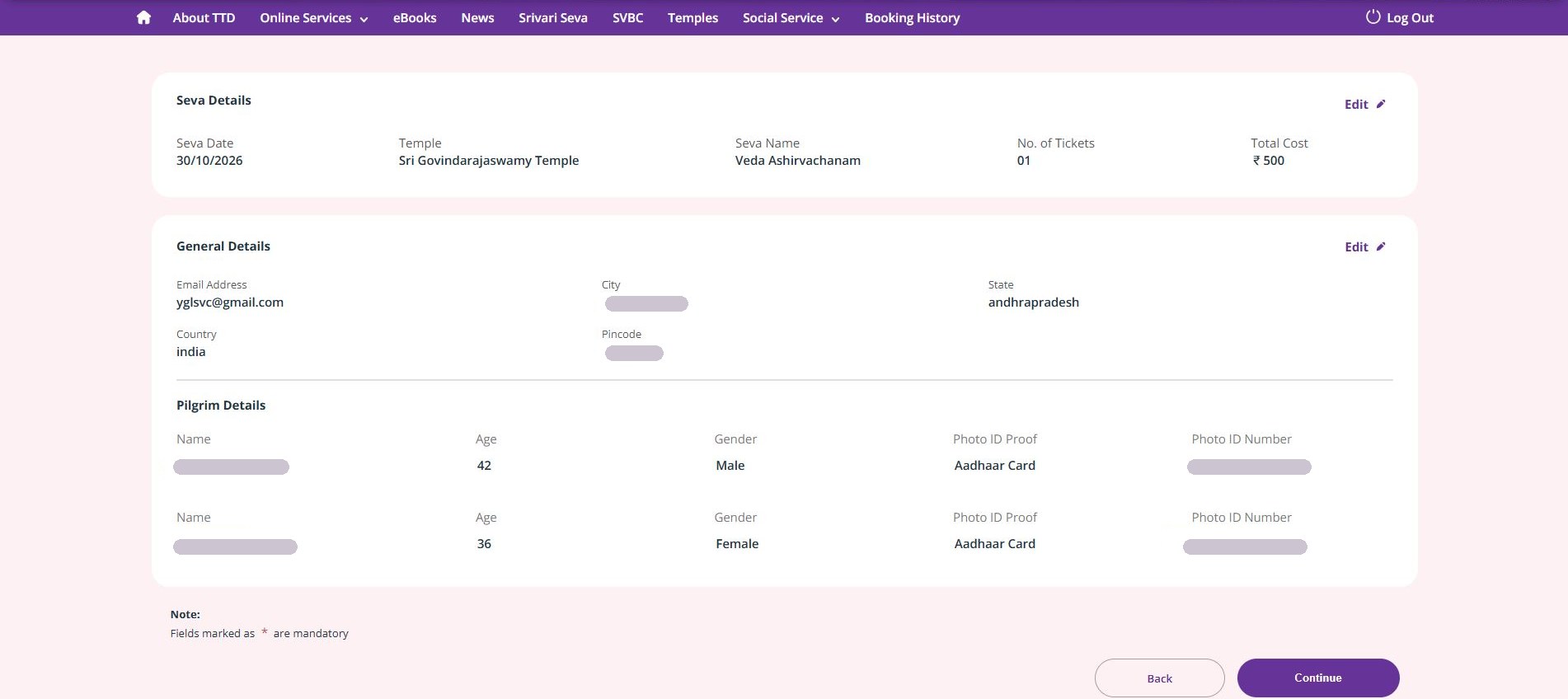
The extension only fills the pilgrim details form. Everything that is security-checked or involves money stays with you.
You sign in to TTD yourself. The extension never asks for or stores your TTD password.
OTPs are read and typed by you. The extension does not touch your phone or messages.
CAPTCHAs are there to prove a person is booking. You solve them — always.
You review the booking and complete the payment yourself. No card or UPI details are stored.
It does not skip or bypass TTD's waiting room. You wait your turn like every other devotee.
Pilgrim details are saved locally in your own Chrome browser — not uploaded anywhere.
Please note: this is an independent tool and is not affiliated with or endorsed by Tirumala Tirupati Devasthanams (TTD). Always follow TTD's booking rules, and check every pilgrim's details before you confirm a booking.
TTD Pilgrim Autofill is shared privately and is not on the Chrome Web Store. Send an email with your name and I will get back to you with access and setup steps.
Please don't send Aadhaar or passport numbers by email — they are entered only inside the extension, on your computer.No. TTD Pilgrim Autofill is an independent tool and is not affiliated with or endorsed by Tirumala Tirupati Devasthanams (TTD). Bookings are always made on the official TTD website.
No. It only fills the pilgrim details form. You log in, wait in the queue, pick the slot, enter the OTP, solve any CAPTCHA and pay — yourself.
It helps on the pilgrim details step of TTD online bookings such as Special Entry Darshan and Arjitha Seva, where the details of every pilgrim have to be entered quickly.
Up to 6 pilgrims per booking. Three pilgrims fill in about 3 seconds.
Aadhaar, and passport with visa details for NRI and foreign pilgrims. Aadhaar numbers get a typo check, and every pilgrim is checked for duplicate IDs.
Only in your own Chrome browser on your computer. It is not uploaded to any server.
No. Chrome extensions do not run in Chrome on Android or iPhone. Use Google Chrome on a Windows, Mac, Linux or ChromeOS computer.
The extension is shared privately. Request access by email and you will receive the setup steps.